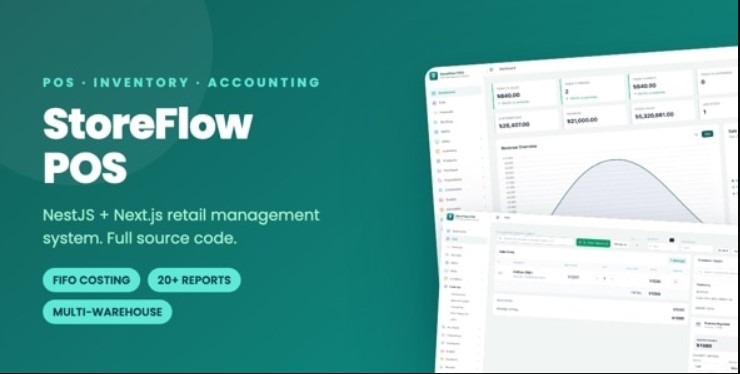

StoreFlow POS – Point of Sale & Inventory Management System with NestJS and Next.js

| POINT OF SALE · INVENTORY · ACCOUNTING StoreFlow POS Run Your Entire Shop From One SystemSell at the counter. Track every batch of stock. Know your real profit on every single item.
A complete, production-ready retail platform built with NestJS 11 + PostgreSQL and Next.js 16 + React 19. Full source code. Two complete projects. One download. |
Before you buy — costs that are not included. The price of this item covers the software and its source code only. A production setup also needs third-party services that are billed by their own providers, never by us: server or cloud hosting (required, a Node.js VPS from roughly $5–$20 per month), a domain name (billed annually — SSL itself is free via Let’s Encrypt), and optionally managed PostgreSQL hosting, an SMS gateway, an email / SMTP service, Redis, and barcode or printer hardware. None of these are bundled, and none are required for the system to run — out of the box it needs only a server and PostgreSQL. A full breakdown is in the What You Need To Get Started section below.
| 2 COMPLETE PROJECTS | 20+ BUSINESS REPORTS | 15+ BUSINESS MODULES | 100% SOURCE INCLUDED |
Most POS Scripts Only Solve Half The Problem
They give you a nice billing screen. Then the questions start.
| Without a real system × ”What was my actual profit on that sale?” × ”How much does this customer still owe me?” × ”Who gave that 40% discount last Tuesday?” × ”Did we ever receive that supplier order?” × ”Why is the stock count wrong again?” × ”Which items am I selling below cost?” |
With StoreFlow POS ✓ FIFO costing shows true margin per line ✓ Live receivables and aging per customer ✓ Audit log records who changed what, when ✓ Goods receiving tied to every purchase order ✓ Batch-level stock with a full movement trail ✓ A dedicated below-cost sales report |
StoreFlow POS is not a billing screen with a database behind it. It is a complete retail business system – from purchase order to profit report.
One system that adapts to how you actually sell.
| Supermarkets & Grocery High volume, barcode scanning, fast checkout, thousands of SKUs. | Pharmacies Batch tracking, supplier claims, strict stock accuracy. | Electronics & Mobile High-value items, exchanges, returns, warranty-era record keeping. | ||
| Fashion & Boutique Seasonal offers, coupons, exchanges, brand-wise reporting. | Wholesale & Distribution Credit sales, customer dues, aging reports, multi-warehouse stock. | Agencies & Freelancers White-label it and deploy the same system for client after client. |
What Makes StoreFlow Different
Four things you will not find in most POS items at this price.
| 1. True FIFO Batch Costing Every goods receipt creates a stock batch at its own cost. Sales consume the oldest batch first, exactly as real accounting requires. Your cost of goods sold and your margin are calculated – not guessed from an average price. | 2. Built-In Accounting Depth Receivables, payables, expenses, a supporting ledger, and aging analysis on both sides. You do not need separate accounting software to know where your money is. | |
| 3. Permissions That Actually Hold Roles are built from a granular permission matrix, and every rule is enforced by the API as well as the interface. A restricted user cannot bypass the UI to reach a blocked action. | 4. A Real Audit Trail Every change records who, what and when. When cash and stock are involved, “the system says so” is not good enough – you need to be able to prove it. |
Two Complete Projects, One Purchase
Full, readable, typed source code for both. Nothing obfuscated, nothing encoded, nothing locked.
1. NestJS REST API BACKEND
A professionally structured NestJS 11 backend on PostgreSQL and TypeORM, organised into clear feature modules. JWT authentication, role-based access control, FIFO stock costing, transactional sales processing, Excel export, barcode and QR generation, full audit trail, and auto-generated Swagger API documentation. The complete database schema is created by a single migration command – no SQL file to import.
2. Next.js Admin Panel & POS Terminal FRONTEND
A modern Next.js 16 (App Router) application built with React 19, TypeScript and Tailwind CSS 4. It contains both the sales terminal your cashiers use and the full back office your managers use – products, inventory, purchasing, customers, suppliers, accounting, promotions, staff and reporting – in one clean, responsive interface.
Everything Is In The Download
There is nothing to request, unlock, activate or contact us for. One file, everything inside.
| ✓ Backend – complete NestJS + PostgreSQL source, with migrations and Swagger docs |
| ✓ Admin Panel & POS – complete Next.js source |
| ✓ Documentation – installation, full configuration reference, hardware setup, Ubuntu deployment guide with PM2 + Nginx + free SSL, and a troubleshooting FAQ |
The Sales Counter
| Fast New Sale Find products by name, SKU or barcode. Cart totals update instantly. |
Barcode Scanning Any standard USB scanner works the moment you plug it in. No driver, no setup. |
| Hold & Resume Carts Park a sale to serve the next customer, then pick it back up exactly where you left it. |
Returns & Exchanges Process against the original invoice. Stock and ledger update automatically. |
| Collect Due Take payment against an outstanding balance and print the receipt. |
Split & Multiple Payments Cash, card, mobile banking, or any method you define – including split tenders. |
| Coupons & Offers Time-limited offers and discount coupons applied automatically at the till. |
Receipt Printing Prints to any thermal printer. Every footer line is configurable. |
| Sales History Search any past sale, reprint the receipt, or void an order with a full audit record. |
Shift Accountability See exactly how much each cashier collected during their shift. |
Inventory You Can Trust
| FIFO Batch Costing Oldest batch sells first, so cost of goods and margin are real numbers. |
Multi-Warehouse Separate stock per warehouse, with location blocks for shelf-level placement. |
| Stock Reservations Hold stock for a confirmed order so the same unit is never sold twice. |
Damage Claims Mark damaged stock, raise a claim against the supplier, settle it – with invoices at each step. |
| Stock Adjustments Correct counts after a stocktake, with the reason and the user recorded. |
Low-Stock Alerts See what is about to run out before your customer does. |
| Stock Forecasting Projected consumption based on your own sales history, not a guess. |
Full Movement Trail Every unit in and out is logged. You can always answer “where did this stock go?” |
The Complete Back Office
| Products & Catalogue • Products with images, pricing & tax • Two-level category tree • Brands with logos • Measurement units • Barcode generation & regeneration • Printable barcode label sheets (PDF) • Bulk Excel import with templates • Excel export |
Purchasing & Suppliers • Purchase orders – create, send, void • Goods receiving against orders • Partial receipts & drafts • Receipt corrections • Printable receipt documents • Supplier profiles & ledgers • Payables with payment vouchers • Outstanding purchase tracking |
Customers & Money • Customer records & history • Customer types (retail, wholesale, VIP) • Credit sales & due tracking • Printable payment receipts • Receivables & payables • Aging analysis both sides • Expense recording by category • Supporting ledger, Excel exportable |
20+ Reports. Every One Exports To Excel.
Filter any report by date range. Stop guessing how the business is doing.
| SALES Sales summary · Daily sales · Total sell summary · User collection summary · Below-cost sales | INVENTORY Inventory report · Current stock value · Stock position · Detailed stock position · Low stock | |
| CUSTOMERS Customer report · Customer ledger · Customer receivables · Due breakdown per customer | PURCHASING Monthly purchases · Purchase summary · By supplier · Outstanding purchases · Supplier ledger | |
| FINANCIAL Financial summary · Expenses by category · Payment method breakdown · Receivables aging · Payables aging · Ledger entries |
The below-cost sales report alone pays for itself. It flags every item sold under its own purchase cost – the leak most shop owners never even see.
Staff Control & Accountability
| Unlimited Custom Roles Build any role from a granular permission matrix – not a fixed list of three. |
Enforced On Both Sides Permissions hide the button and block the API call. The UI cannot be bypassed. |
| Duty Schedules Assign shifts, clock staff in and out, and review a per-user duty report. |
Cashier Collection Report Know exactly how much cash each person took, and when. |
| Complete Audit Log Every create, update and delete is recorded with the user, the change and the timestamp. |
Make It Yours In Minutes
StoreFlow POS is built to be rebranded – for your own shop, or for client after client.
| ✓ Product name, logo, tagline and monogram – change through environment variables or one branding file |
| ✓ Colour theme – every colour is a CSS variable in a single file. Change a handful of values, restyle the entire app |
| ✓ Shop details and receipt logo – set from the Settings screen, stored in the database, no rebuild needed |
| ✓ Receipt footer – every line configurable, and any line left empty is simply not printed |
For agencies: deploy the same codebase under a different brand for every client, without touching component code.
Architecture & Security
This system handles real money and real stock. It is built accordingly.
| Transactional Integrity Sales, returns and stock movements run inside database transactions. Stock and ledger can never fall out of step. |
Modular NestJS Each feature has its own controller, service, DTOs and entities. Adding a feature is obvious, not archaeology. |
| PostgreSQL + TypeORM Migrations A properly normalised schema, versioned in code. One command builds the entire database. |
JWT Auth & bcrypt Access and refresh tokens, with properly hashed passwords. |
| Validated Requests Every request is validated and stripped of unknown fields before it reaches your business logic. |
Security Headers & Compression Helmet headers and gzip enabled by default. |
| Paginated APIs Consistent response envelope throughout, so a 50,000-product catalogue stays fast. |
Swagger Documentation Generated from the code, so the API reference is never out of date. |
Works With The Hardware You Already Have
StoreFlow POS reaches your devices through the operating system, so brand and model do not matter. If a device prints or types on your computer, it works here.
| USB Barcode Scanner Works the moment you plug it in. No driver, no configuration, no setup screen. |
Thermal Receipt Printer Any 58 mm or 80 mm printer – USB, network or Bluetooth. |
|
| Barcode Label Printer Print product label sheets as PDF to any label printer. |
A4 / Laser Printer For invoices, payment vouchers and reports. |
The documentation includes a dedicated hardware chapter covering printer setup, correct paper sizing, and how to print receipts without a print dialog appearing on every sale.
See It In Action
Clean, modern interface built for people who use it eight hours a day.
Don’t Take Our Word For ItLog in to the live demo and try a real sale yourself. No signup, no email required. Open The Live Demo Username: |
Why Buy Instead Of Build
A system this size is months of work. It is already done, tested and documented.
| ✓ Two full projects, one purchase – a complete REST API and a complete admin panel with POS, not a front-end mockup with no backend |
| ✓ Accounting depth most POS items skip – FIFO costing, ledgers, aging analysis and below-cost detection |
| ✓ Clean, typed TypeScript throughout – nothing obfuscated, nothing encoded, nothing hidden from you |
| ✓ Current technology – NestJS 11, PostgreSQL, Next.js 16, React 19, Tailwind 4. A stack you can hire for and build on for years |
| ✓ Separated architecture – deploy, scale and maintain backend and front end independently |
| ✓ White-label ready – rebrand it in minutes for every client you serve |
| ✓ Documentation that respects your time – installation, full configuration reference, hardware guide, a complete Ubuntu deployment walkthrough, and a troubleshooting FAQ |
What You Need To Get Started
| • Node.js 20 LTS or newer, and npm 10 or newer |
| • PostgreSQL 14 or newer (MySQL and SQLite are not supported) |
| • A VPS or cloud server for production – 2 GB RAM is enough for a single shop |
| • Any modern browser; Chrome or Edge recommended for the sales terminal |
| • Basic Node.js familiarity if you plan to customize the code |
Third-party costs you may incur: the purchase price covers this software only. Running it in production involves services billed by their own providers, not by us:
| • Server / cloud hosting – a VPS or cloud instance is required (typically from about $5-$20 per month). |
| • Managed PostgreSQL – optional. Free if you host the database on your own server, otherwise charged by your provider. |
| • Domain name and SSL – a domain is billed annually. SSL itself is free via Let’s Encrypt, which the included guide covers. |
| • SMS gateway – only if you choose to add SMS notifications. No SMS provider is bundled, and SMS is not required for any feature. Gateways charge per message. |
| • Email / SMTP service – only if you choose to add outbound email. Providers offer free tiers and charge beyond them. |
| • Redis – optional caching. Free when self-hosted on the same server. |
| • Hardware – barcode scanners, thermal and label printers are bought separately. The system works without them. |
Out of the box the system needs only a server and PostgreSQL. Every item above beyond those two is optional, and none of these fees are paid to us. Please read before buying: this is a Node.js application, not a PHP script. It will not run on standard cPanel shared hosting. You need a VPS or a host that supports Node.js and PostgreSQL. A complete Ubuntu deployment guide with PM2, Nginx and free SSL is included in the documentation.
Changelog
Version 1.0.0 — 28 October 2026
- Initial release.
Questions Before You Buy?Ask anything – about features, hosting, customization work, or whether StoreFlow POS fits your business. We answer pre-sale questions too. Please use the Comments tab on this item page for pre-sale questions, and the Support tab to open a ticket after purchase. Keeping everything on CodeCanyon means your conversation, your purchase and your support history stay together and protected. If StoreFlow POS works well for you, a rating on this item page genuinely helps. |